

To send a removable control panel mounting plate for fabrication, provide a matched enclosure interface drawing and plate drawing, a fixing schedule, an assembly and removal sequence.
The key decision is whether the plate can be installed, secured and removed in its intended configuration. A plate that fits when empty may become difficult to remove once a wire duct covers a fixing screw or a connector projects into the exit path. Review those interfaces while the design can still be changed.
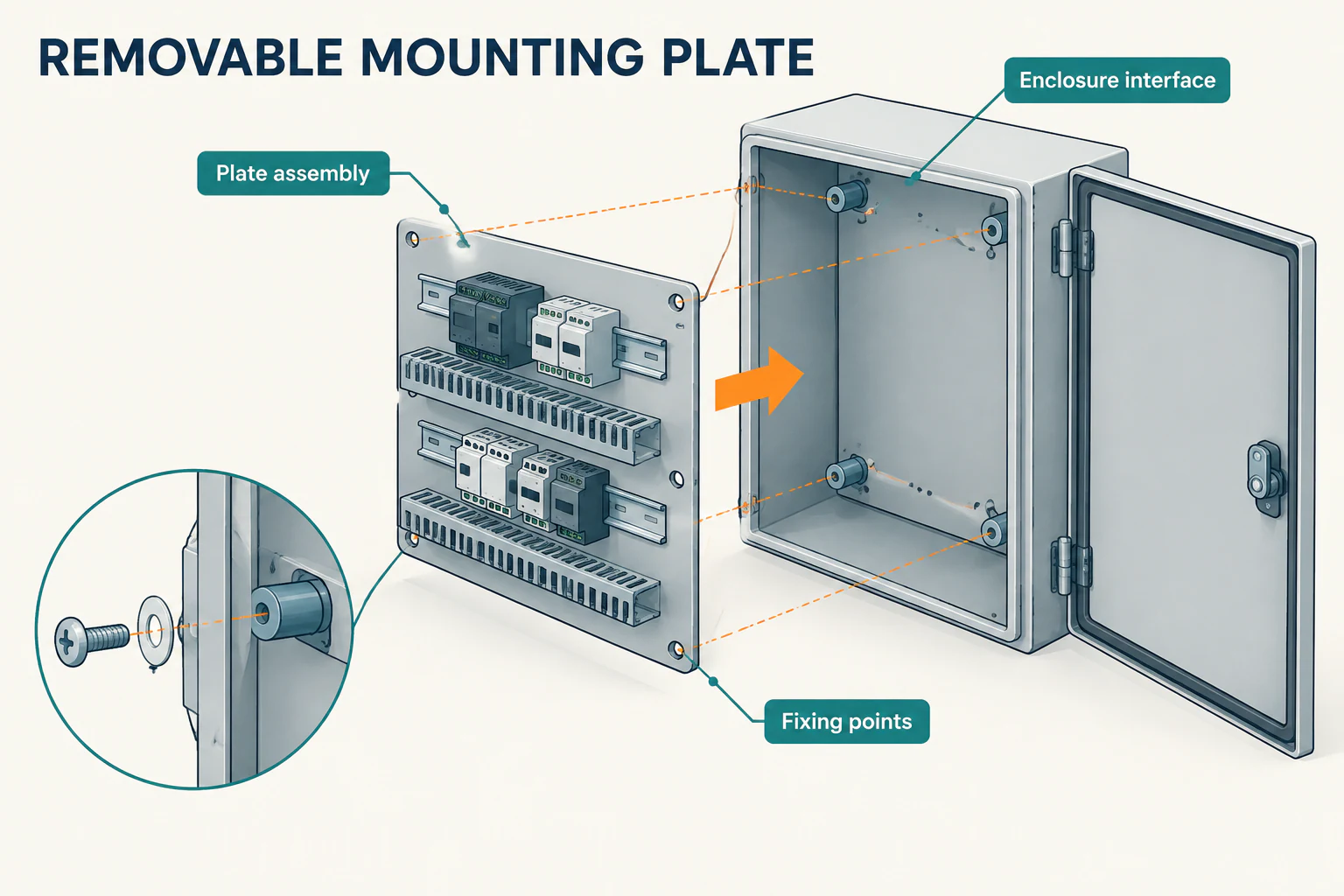
Define the supply scope before requesting a quote
Start by stating what the factory will deliver. “Mounting plate” can mean a finished metal part, a plate fitted with devices, or an assembly that arrives wired. Each needs a different set of instructions.
| Order scope | Information the factory needs |
|---|---|
| Fabricated plate | Material, thickness, finish, holes, threads, fixing hardware responsibilities and the method for checking fit |
| Populated plate | Component layout, bill of materials, rails, ducts, brackets and fasteners. |
| Wired assembly | The above, plus wiring and terminal documents, disconnect arrangements, bonding details and electrical test responsibilities |
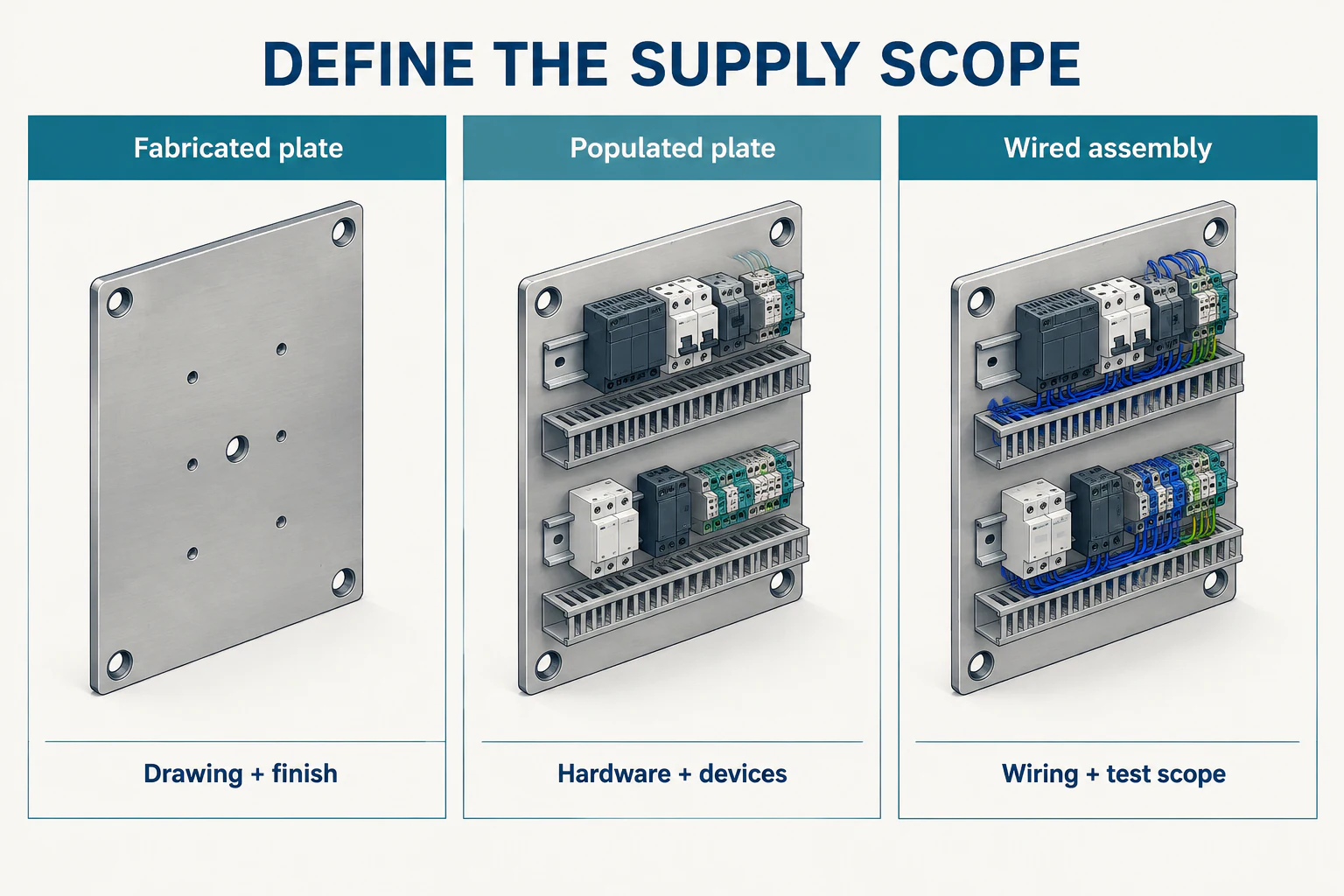
Also identify the mating enclosure by model, variant and drawing revision. If the factory will not receive it, agree on a fixture or reference assembly that reproduces the relevant supports and fixing positions. Record which enclosure revision that check represents.
The difference in scope is visible in DelaControl’s LV/HV switchboard backplate project, which included electrical design, software, testing and a factory acceptance test. If your order includes similar work, assign those deliverables explicitly rather than leaving “complete backplate” to interpretation.
1. Give the plate and enclosure the same installation reference
A datum is the feature or reference used to locate and measure other features. For this handoff, the practical question is simple: will the designer, fabricator and inspector locate each fixing point from the same reference?
Mark the installed face, top edge, viewing direction, coordinate origin and axis directions on the plate drawing. Show their relationship to the enclosure drawing. If the drawings use different origins, include the relationship between them so the workshop can transfer the coordinates without guessing.
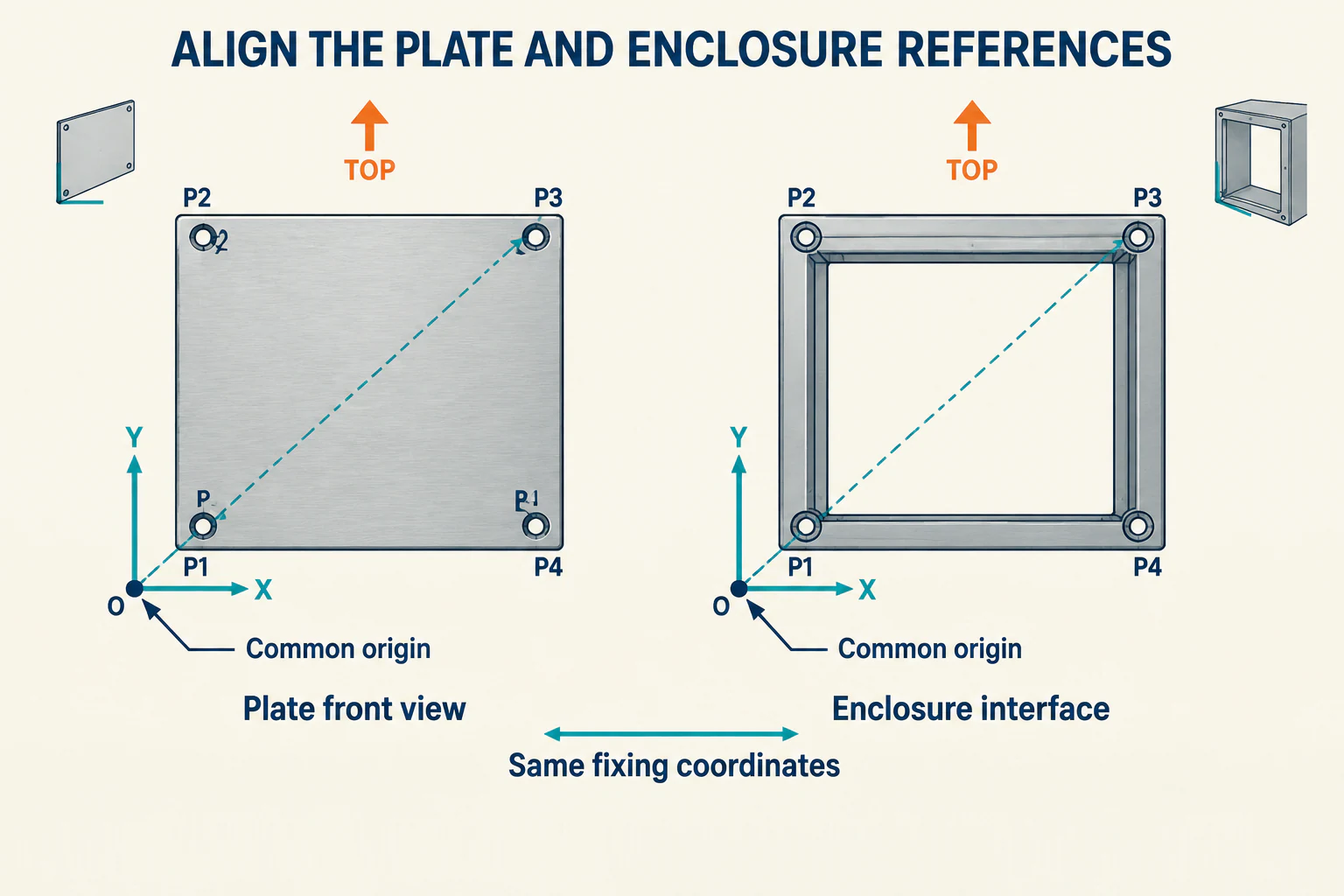
The enclosure interface drawing should identify:
- Supports and locating features: studs, rails, brackets or spacers, including how the plate seats or engages with them.
- Fixing coordinates: the locations and orientation of the mating holes or slots.
- Installed offset: the distance between the plate and the stated enclosure reference surface.
- Nearby obstructions: hinges, frame returns, cable entries and other parts that affect access or movement.
Use a section view where the offset or hardware arrangement is difficult to read from the front. It should show where the plate seats, which side the fastener enters from and what occupies the space behind it.
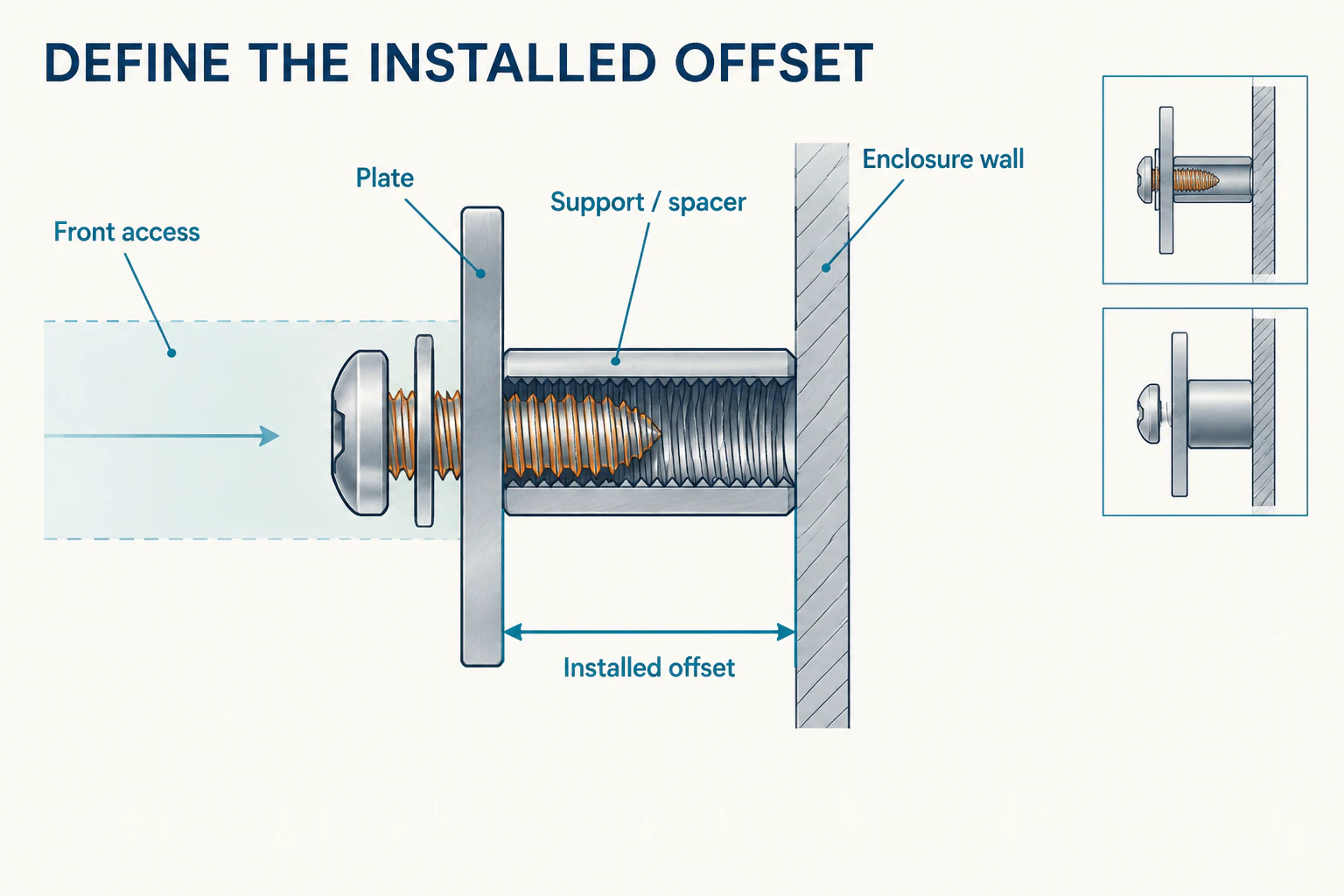
Put tolerances on the relationships that control fit
Specify tolerances for the fixing pattern, locating features and installed offset, together with any flatness requirement needed by the assembly. State whether each critical dimension applies before or after surface treatment.
If a slot provides adjustment, define its direction and permitted travel. The inspector still needs a reference for the plate’s final position.
For a replacement plate, check the existing enclosure’s supports and record site modifications before releasing the hole pattern. Keep those measurements with the wider sheet metal enclosure fabrication drawings.
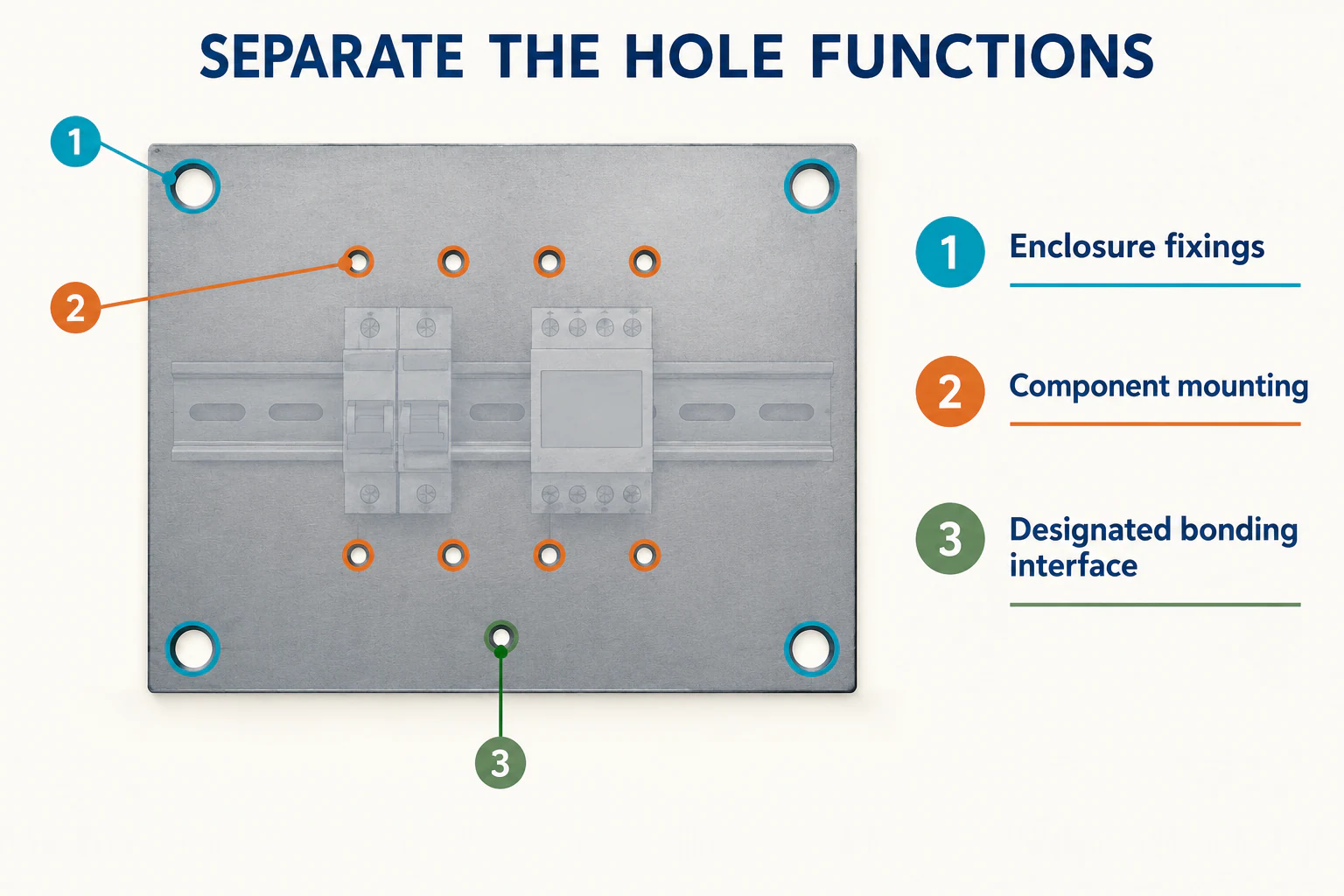
2. Separate enclosure fixings from component mounting holes
Give each hole a function in the schedule. This lets a device-layout change be reviewed without unintentionally changing how the plate attaches to the enclosure.
| Feature group | What to specify |
|---|---|
| Plate-to-enclosure fixings | Position, hole or slot geometry, slot direction, mating hardware, spacers and tool approach |
| Component mounting features | Device reference, footprint, orientation, clearance hole or thread, and any rear projection |
| Bonding and contact features | Connection location, hardware and surface preparation required by the electrical design |
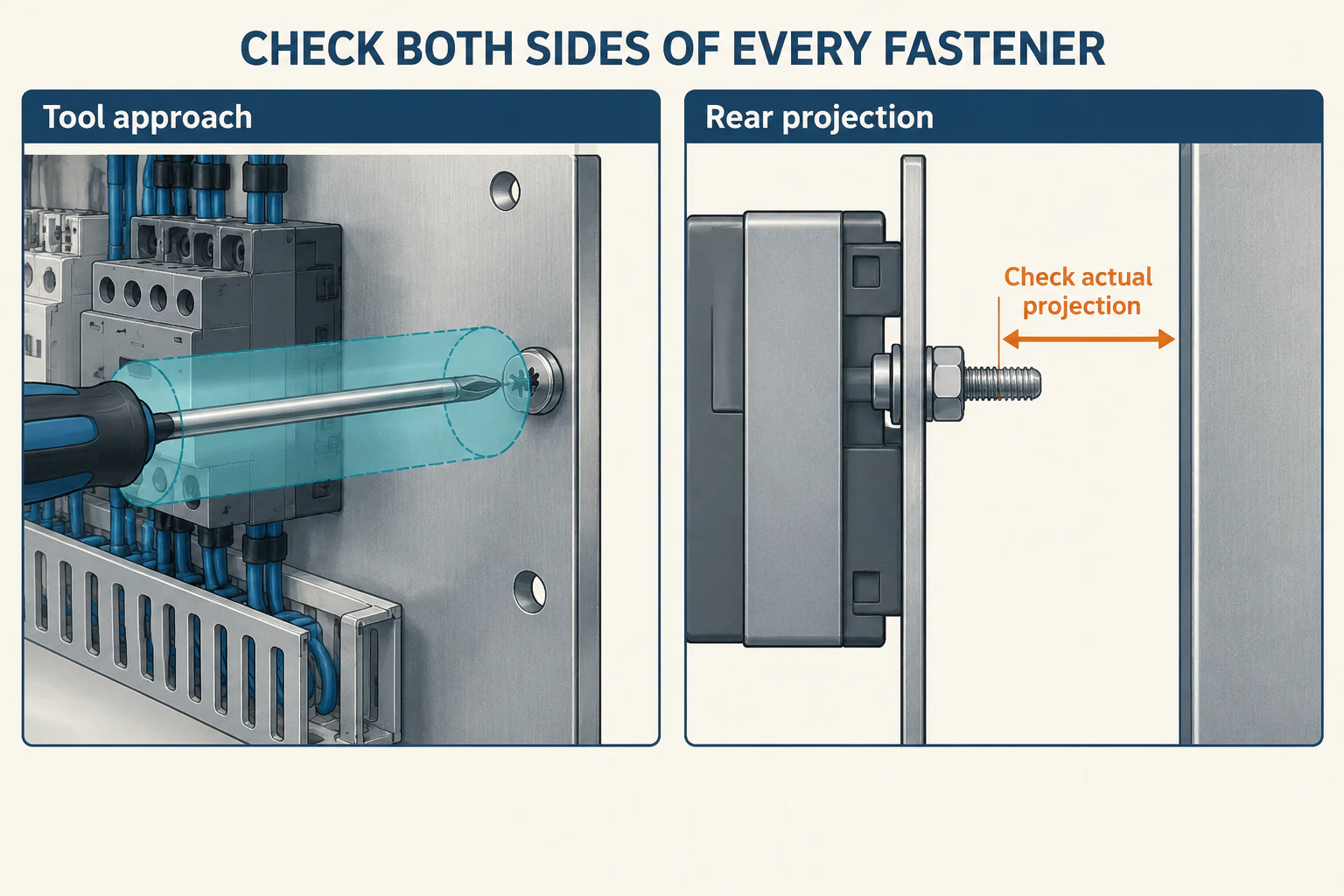
Check the front and back of each fastening arrangement
Specify the fastener, washer, nut or threaded insert as an assembly. Include quantity and any restrictions on substitutions. Where tightening torque or thread engagement is controlled, put the requirement in the fixing schedule or reference the relevant hardware instructions.
Check tool access with rails, wire ducts and devices in position. A visible screw head may still lack room for the screwdriver shaft or wrench movement. Behind the plate, check the installed screw projection against supports, wiring and the enclosure wall.
Provide the expected populated mass and the positions of heavy components when reviewing plate thickness, supports and fixing locations. Identify any lifting or temporary support provisions separately, with the loads they must carry. In a plastic enclosure, a mounting boss or threaded insert must carry the loads passed to it by the plate and fasteners.
For a designated bonding connection, show the contact area and surface treatment in the drawing package. Coordinate that detail with the enclosure grounding and bonding requirements, especially where coating or removable joints affect the connection.
3. Set three assembly hold points
A hold point is a stage where the agreed checks must be completed before work continues. For control panel backplate fabrication, use the following three stages to catch problems before later assembly hides them.
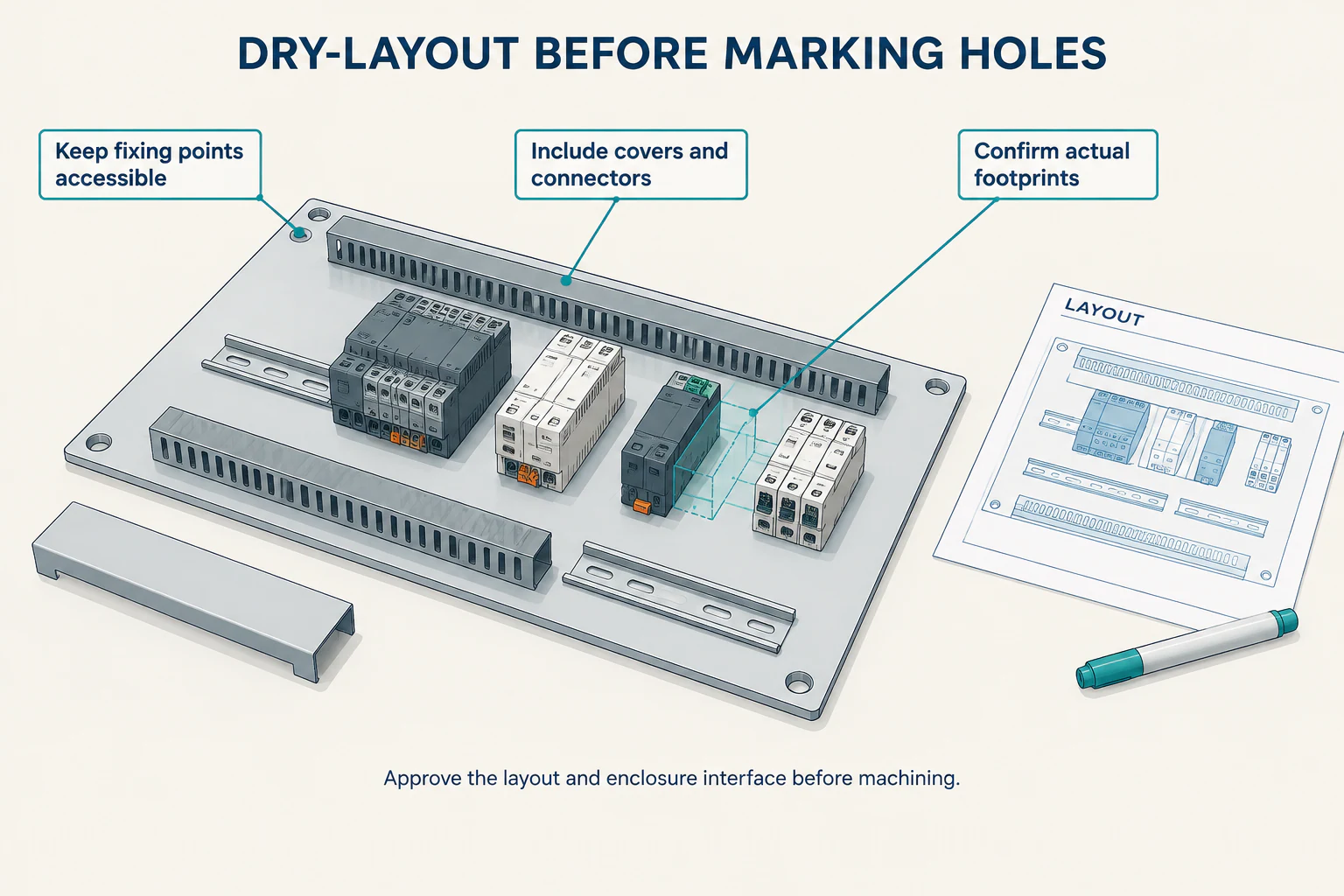
Before machining: approve the dry layout
Place the rails, ducts and representative devices on the plate. Include duct covers, connectors and the space needed to attach hardware. Confirm that the enclosure fixings remain accessible.
RSP Supply’s dry-layout walkthrough follows this order: place the rail and duct, check the arrangement, then mark the holes. Use the review to resolve footprint and access conflicts before cutting metal.
Before fitting devices: inspect and trial-fit the finished plate
Agree on the fabrication route for cutting, drilling, tapping, attached hardware and finishing. The sequence needs to suit the selected material, fastening method and coating process.
Inspect hole locations and edges on both faces, remove machining debris and check the threads. Where the drawing calls for thread gauging, include it in the inspection record alongside any trial assembly with the intended screws. RSP Supply’s drilling and tapping lesson shows the cleanup and screw-fit checks in its backplate build.
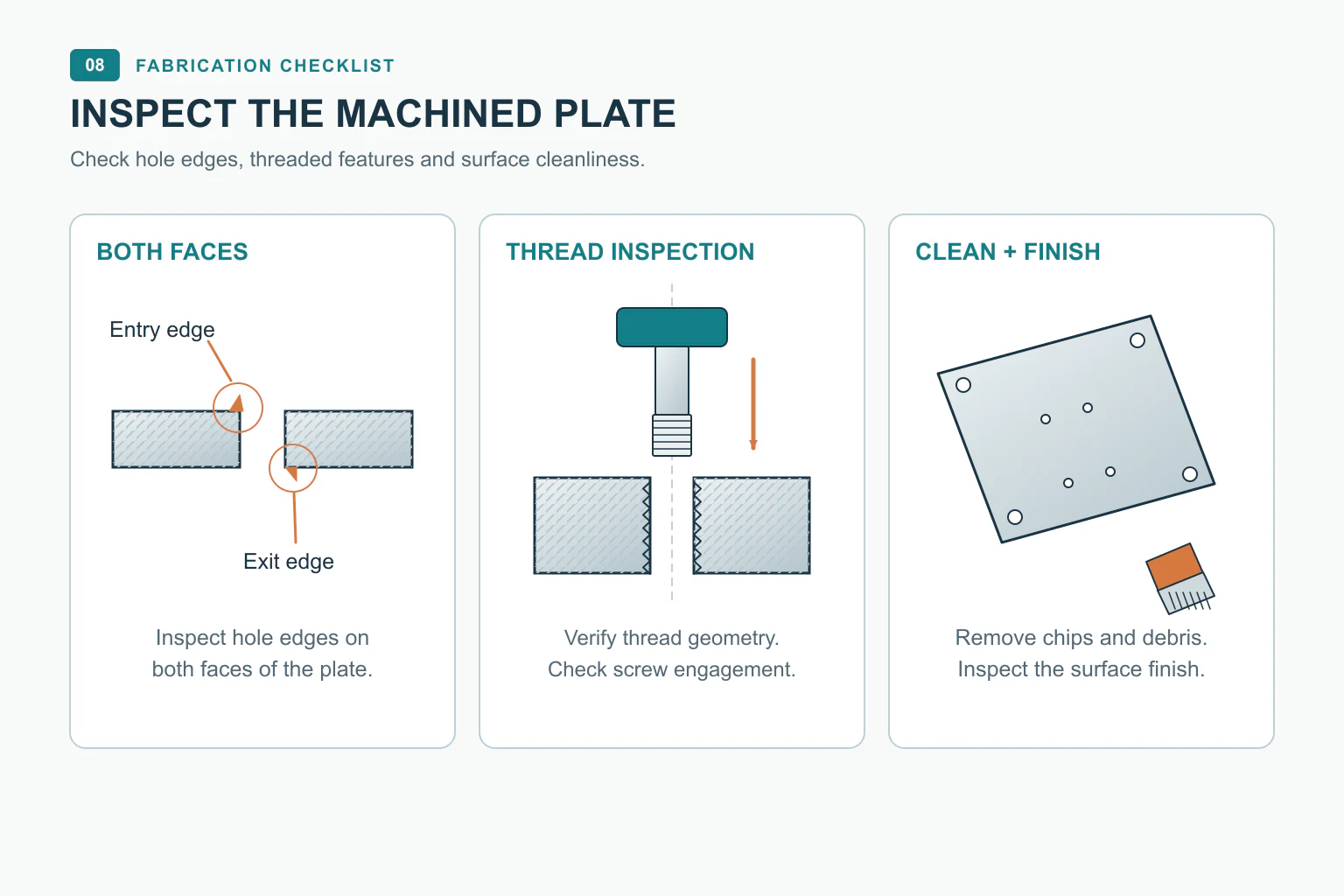
Trial-fit the finished empty plate using its specified enclosure hardware. Check seating, alignment, tool access and interference. If a hole needs enlarging or a support needs moving, record the mismatch and obtain the design change before altering the part.
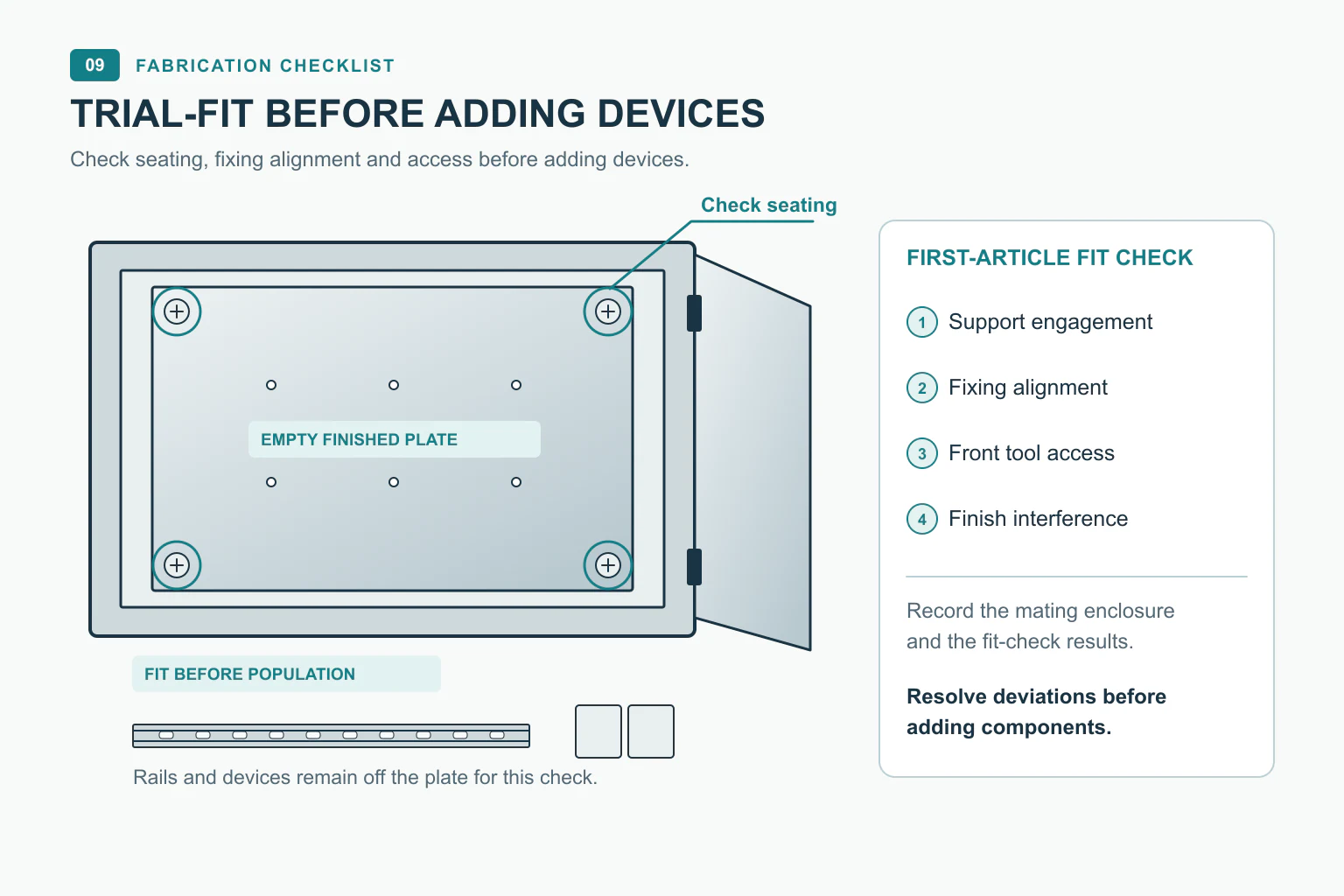
Before shipment: repeat the checks with the populated assembly
Add the components and wiring included in the order, then repeat the fixing-access and removal checks. Verify that covers and connectors can be reached and that the plate can be supported during removal.
If final devices are unavailable, identify the substitute arrangement and the dimensions it represents. Leave any unrepresented projection or connection as an open check for final assembly.
4. Verify the complete removal path
Review removal as a sequence of movements. The plate may need to lift off a support, slide forward or tilt through the opening. Include the component projections throughout that movement.
For example, suppose an empty plate passes through the door opening, but a drive mounted near its edge catches the frame when the plate tilts. The options are to revise the layout, change the removal method or specify that the drive must come off first. Record the chosen operation in the assembly instructions.
Check these five parts of the sequence:
- Open the enclosure. Confirm the available door angle, hinge restrictions and nearby walls or equipment. State whether removing the door is permitted.
- Reach the fixings. Allow room for the actual tools, including their working movement.
- Release the supports. Show any lift, slide or rotation needed to disengage the plate.
- Move the populated assembly out. Check devices, duct covers and connectors against the opening and surrounding structure.
- Reinstall it. Demonstrate that the plate can return to its supports and that the fixings and connections remain accessible.
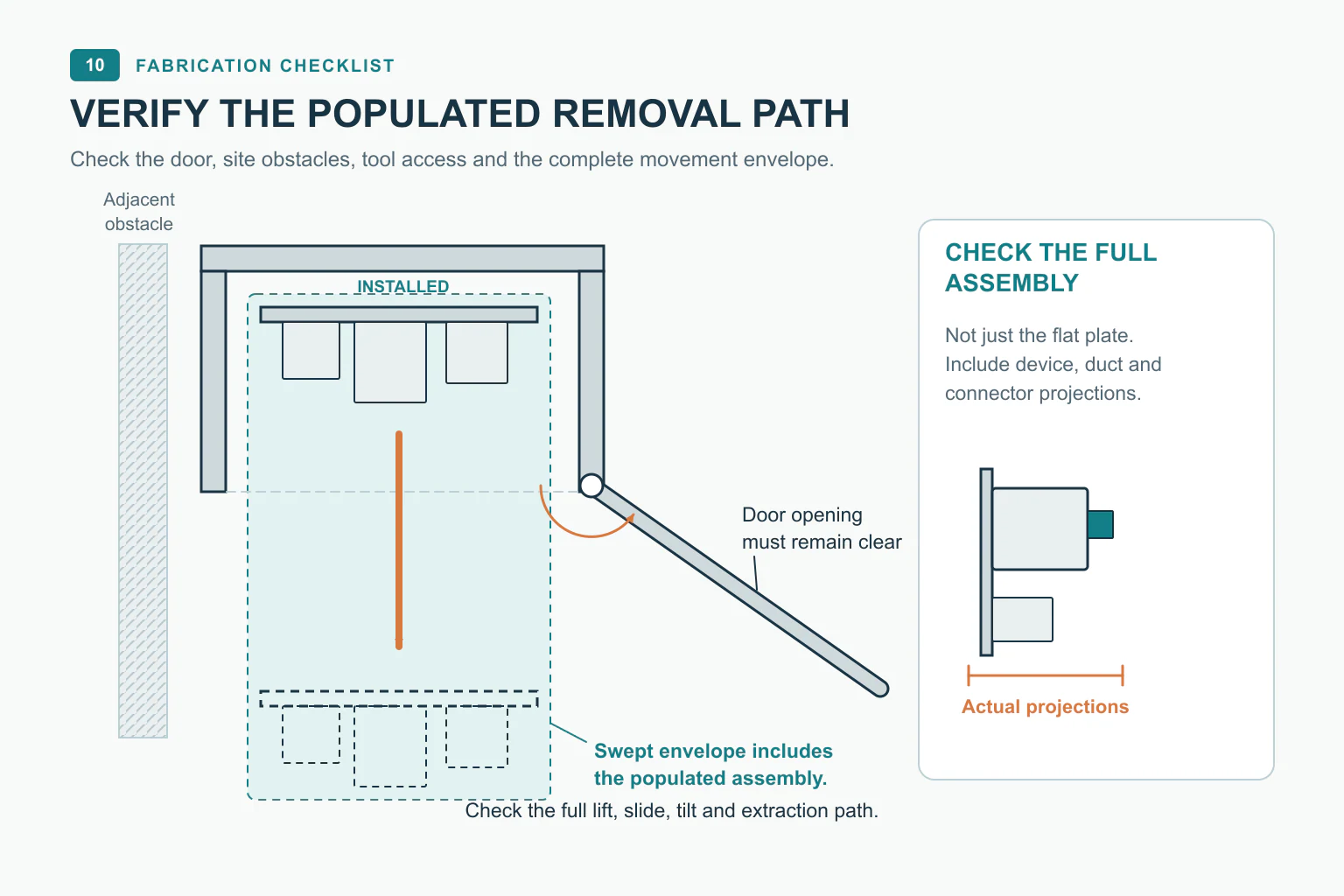
Set the required clearance from that motion path, the component envelopes, manufacturing variation and handling method. Verify it on the first article. A single gap measured with the plate fully installed leaves the rest of the movement unchecked.
Plan disconnection and support before loosening the plate
For maintenance removal, define power isolation through the site’s electrical procedure. Identify the connections to release, label the interfaces and show how cables will be supported. Provide a stable support or lifting arrangement for the populated plate; cable slack is not a handling provision.
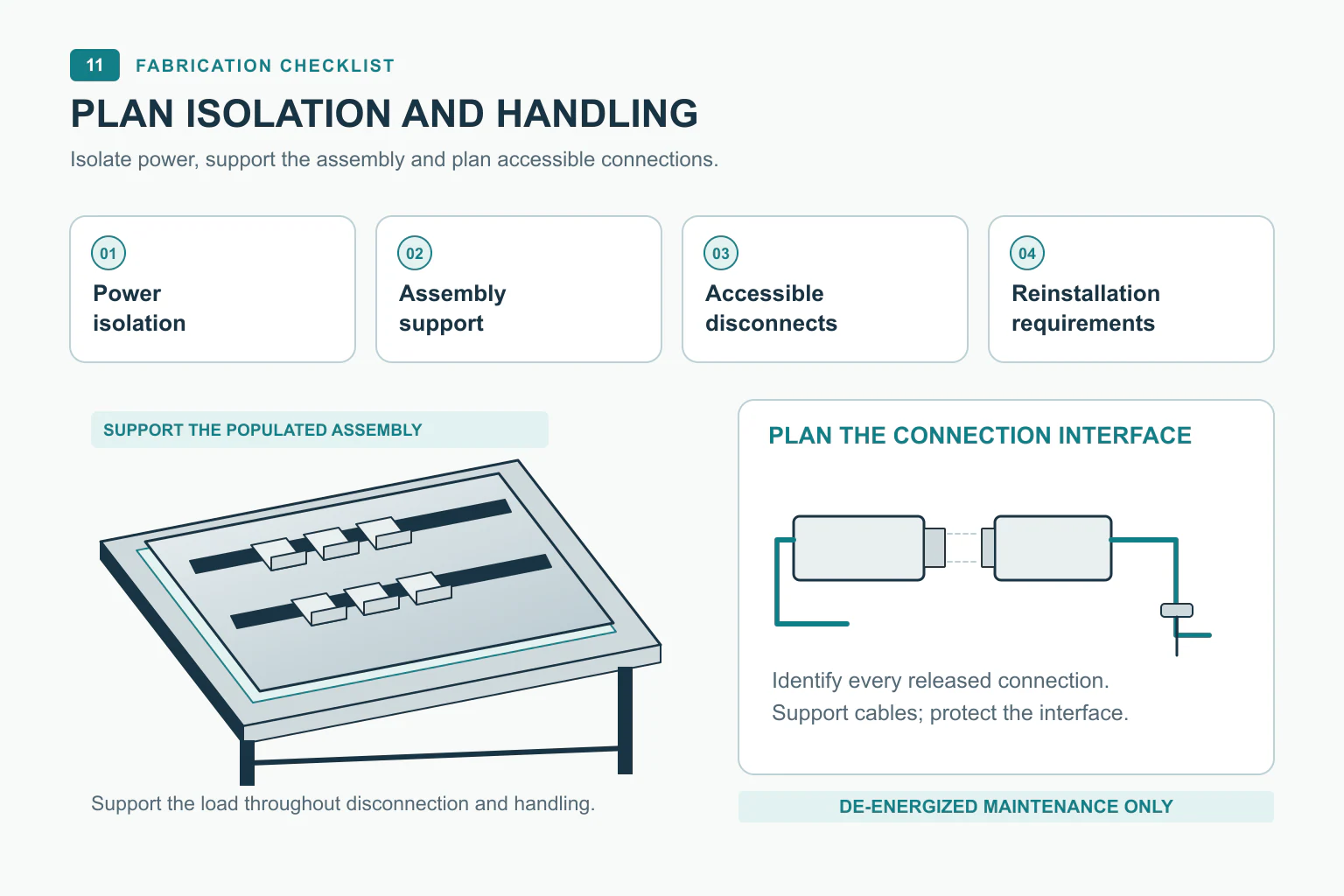
In AES Controls’ Charnwood Building retrofit, bespoke backplates were assembled offsite and installed in place of existing bolted plates. For a replacement project, make the same planning questions part of the handoff: what must be disconnected, in what order can the old plate come out, and what work must fit within the available shutdown?
5. Agree inspection evidence before releasing the batch
Attach a mounting plate inspection checklist to the order. For every item, name the feature being checked, the method, the acceptance reference and the record to retain.
| Check | Evidence to agree before production |
|---|---|
| Datums and fixing pattern | Measurements from the specified references, including the features that control mating fit |
| Holes, slots and threads | Dimensional or gauge results and any required mating-hardware checks |
| Edges, cleanliness and finish | Inspection of both faces, hole edges, debris and designated contact areas |
| Empty-plate fit | Record of the enclosure or fixture used, hardware installed and any interference |
| Populated access and removal | Demonstration of tool access, disconnection, support, extraction and reinstallation |
| Identification and changes | Part and drawing revision, hardware list and approved deviations |
Keep mechanical and electrical acceptance as separate items in the order. A mechanical fit check establishes how the plate assembles. Wiring checks, bonding verification and functional testing need their own procedures, results and responsible party when those tasks are included.
Before releasing the batch, resolve first-article deviations and update the files used by the workshop. Retain the accepted drawing revision, inspection results and fit-up photographs with the delivery records. If the plate is supplied without its final enclosure or devices, identify who will complete the remaining fit and removal checks.
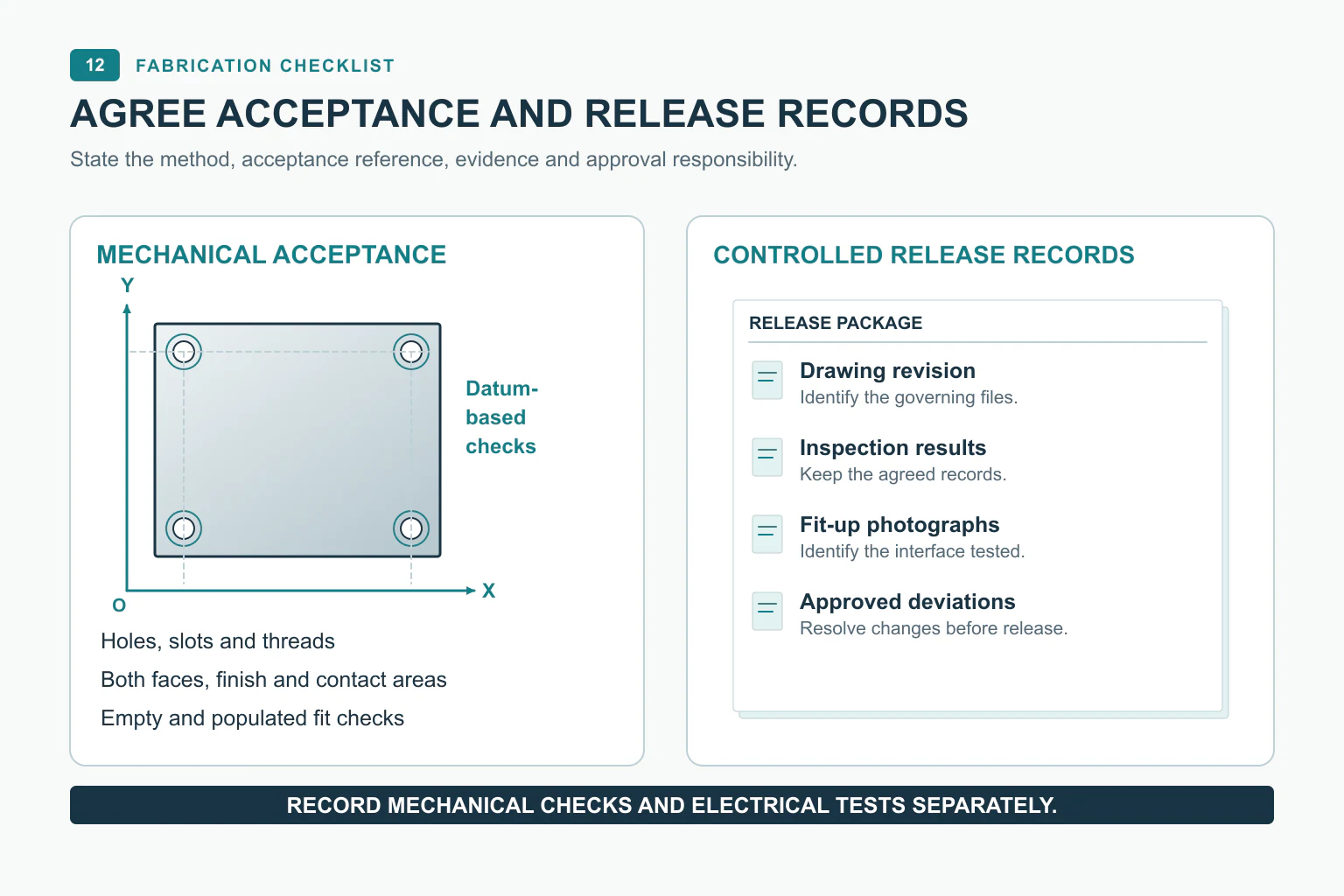
RFQ checklist: send one coordinated fabrication package
Put these items under one project reference so the factory can quote the intended work and identify missing interfaces:
- Enclosure interface drawing: model, variant, supports, fixing coordinates, installed offset and orientation.
- Plate drawing: material, thickness, finish, datum references, functional tolerances and identification.
- Hole and fixing schedule: feature functions, mating hardware, tool approach and rear projections.
- Assembly information: component layout, bill of materials, supplied-by responsibilities and assembly scope.
- Removal instructions: motion path, door restrictions, disconnect points, handling and reinstallation.
- Inspection plan: first-article checks, acceptance criteria, required records and approval responsibility.
- Revision and deviation control: governing files, change approver and the condition for releasing production.
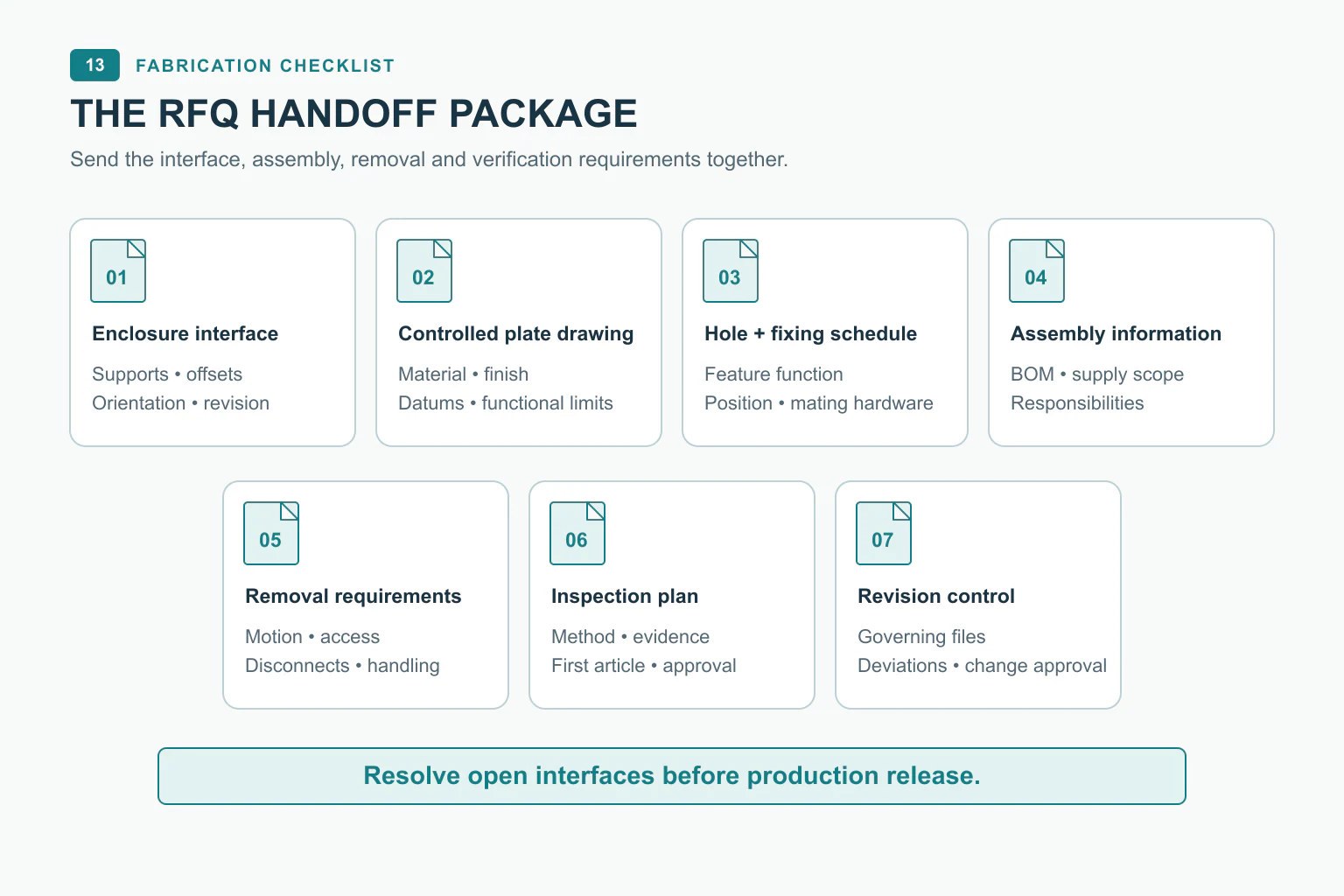
If an interface is unresolved, mark it as an open item with a named owner and a point in the process when it must be closed. A quote can then distinguish defined fabrication work from design details still awaiting confirmation.
For a fabrication inquiry, start with the enclosure interface, plate drawing, hole schedule and required quantity. State whether the order covers a bare plate, a populated plate or a wired assembly, and identify any fit or removal checks you still need to resolve.
Ask FN to review removable mounting-plate drawings alongside the enclosure interface; keep device fitting and wiring responsibilities explicit.
FAQ
Can I send only the cabinet dimensions?
You also need the internal supports, fixing coordinates, installed offset and orientation. For a replacement, provide measurements of the existing interface or arrange a survey. Cabinet height, width and depth alone leave those manufacturing details undefined.
How much clearance does a removable mounting plate need?
Determine it from the populated assembly, support-release movement, door opening, tools and handling method. Check the full path on the first article, including reinstallation. Where a device must be removed first, make that a stated step in the procedure.
Should the mounting plate be supplied prewired?
Choose a prewired assembly when the layout and wiring documents are ready, the field connections are defined and the required testing responsibilities are agreed. If those inputs are still changing, quote the fabricated or populated plate as a separate scope and identify the wiring work that remains.