


Choose IP54 when dust-protected performance and resistance to splashing water meet the installation requirements. Choose IP65 when the project needs a dust-tight enclosure or protection against water jets. Both ratings describe performance under defined test conditions.
Before ordering, check that the specified rating covers the enclosure with its actual doors, cable entries, controls and cooling accessories installed. A rating quoted for an empty enclosure leaves that question unanswered once the design is modified.
What changes between IP54 and IP65?
IEC 60529 classifies the protection provided by electrical equipment enclosures. The first digit of an IP code addresses solid-object ingress; the second addresses water. For IP54 vs IP65, the relevant differences are:
| Protection | IP54 | IP65 |
|---|---|---|
| Dust | Dust-protected. Some dust entry is permitted, provided it does not compromise operation or safety. | Dust-tight under the specified test conditions. |
| Water | Protection against splashes arriving from any direction. | Protection against water jets arriving from any direction. |

The water classifications assess whether ingress causes harmful effects. Neither rating should be rewritten as a promise that no water can ever enter under any conditions.
Choose by exposure, not just indoor or outdoor use
If a cleaning hose is used beside an indoor cabinet, “indoor” tells the supplier too little. Record where the water comes from, which surfaces it reaches and how the equipment is cleaned.

The table below applies the published protection limits to common specification decisions.
| Installation condition | Decision between IP54 and IP65 |
|---|---|
| A sheltered installation where dust-protected performance is acceptable and water exposure is limited to splashes | IP54 is a reasonable candidate. |
| Dust must be excluded, even though the location is dry | Choose IP65. The dust requirement alone rules out IP54. |
| Water jets can strike the enclosure during cleaning or operation | Choose IP65 only if the exposure falls within its rated conditions. IP54’s splash protection is insufficient. |
| An outdoor cabinet sits under a canopy, but rain and cleaning exposure have not been defined | Resolve those conditions before selecting either rating. The canopy alone does not establish suitability. |
| Immersion, high-pressure cleaning, hot water or chemical cleaning is expected | Neither code alone establishes suitability. Request evidence for the actual exposure. |
For an outdoor enclosure, specify UV resistance, corrosion requirements and operating temperature limits separately. IP65 describes ingress protection; those conditions also depend on the enclosure materials and component specifications.

Keep cooling and condensation in the decision
An IP rating does not tell you how much heat the cabinet can dissipate. Assess internal heat loss, ambient temperature and the permitted temperature of the installed components before choosing the cooling arrangement.
Rittal distinguishes filter-fan cooling, which exchanges air with the surroundings, from closed-loop cooling. A fan using ambient air cannot cool the enclosure below ambient temperature. If IP65 is required, select cooling equipment that supports the required enclosure protection; do not reduce the specification to IP54 simply to accommodate a preferred fan.

IP65 also does not eliminate condensation. Moisture already inside can condense when an internal surface becomes cold enough. Review temperature cycling and humidity, then choose suitable moisture-control measures. Include any vent, drain or pressure-equalization device in the final configuration review.

Check the finished enclosure configuration
For a custom electrical enclosure, work from the drawing that will actually be manufactured. List every opening and the component that will seal it. Do not approve the modified design solely from the original enclosure’s catalogue rating.
Doors, covers and gaskets
Inspect the gasket around the full perimeter, the door fit and the specified latching arrangement. Check that the sealing path is clear of trapped wires, debris and misplaced hardware. Record the required fasteners and tightening instructions, and inspect the enclosure with its doors and covers secured.

Cable entries and unused holes
Record actual cable outside diameters, not just gland thread sizes. Check them against the selected gland or grommet’s permitted range. icotek specifies cable-diameter ranges and compatible entry frames for its grommets, as well as plugs for unused entries. Include the selected sizes, seals and closures in the bill of materials.
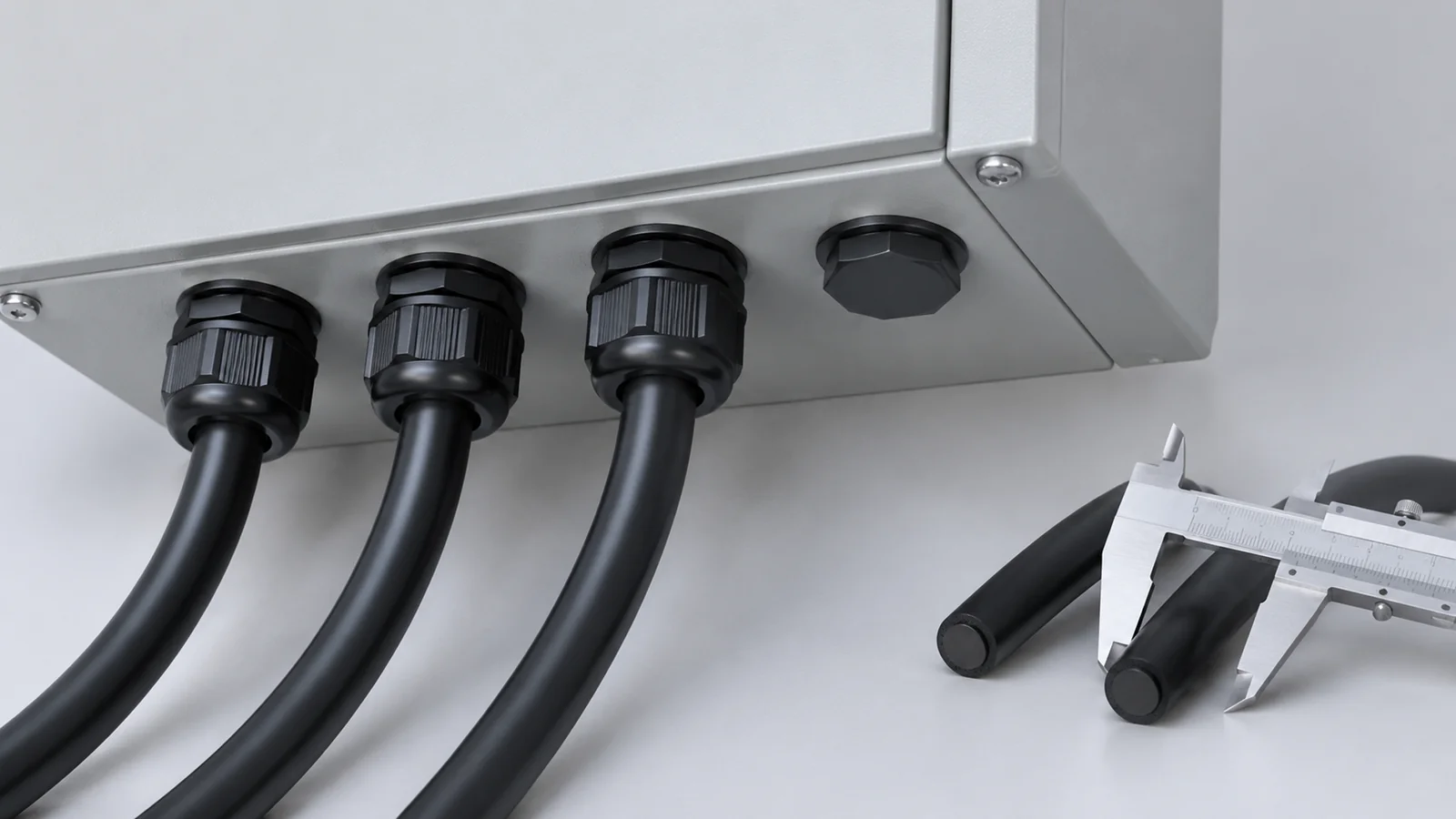
Windows, HMIs and door-mounted controls
Check which side of each component the rating covers. A device’s IP65 rating may apply only to its front face. Siemens’ Industrial Thin Client instructions distinguish front and rear protection and make front protection conditional on proper installation. For the selected device, verify the cutout, panel thickness, seal and clamping requirements.

Cooling, ventilation and other penetrations
Identify the exact fan, filter, vent or cooling unit, along with its mounting arrangement. Review mounting penetrations too. Ask the supplier to confirm how the installed components and their interfaces preserve the required rating. A cooling unit’s capacity and its protection rating are separate selection checks.

A published van-conversion project illustrates why these details matter. Spelsberg reports machining ammeter openings into distribution boards for Stuart Smith Engineering Services and fitting flange seals around the openings to retain IP65. That claim applies to the described arrangement. For another design, request the cutout drawing, seal specification and installation details supporting its rating.

Put the required protection into the RFQ
“IP65 enclosure” is too little information for a modified design. Give suppliers a common scope so their proposals can be compared. Include:
- Exposure: installation position, dust conditions, water sources and cleaning method. For washdown, provide known pressure, temperature and detergent details.
- Required protection: IP54 or IP65, the applicable IEC 60529 edition, and whether the requirement covers an empty enclosure, a modified enclosure or a completed assembly.
- Controlled configuration: drawing and bill-of-materials revisions, with all doors, openings, entry systems, controls and cooling accessories identified.
- Verification evidence: the manufacturer’s declaration and relevant test documentation. Ask which configuration the evidence covers and how it applies to the quoted design.
- Installation responsibilities: who supplies and installs each sealing component, who approves substitutions, and how site-drilled openings will be reviewed.

A practical specification clause can read:
Required ingress protection: [IP54 or IP65] to IEC 60529 [agreed edition], for the configuration shown in drawing [number/revision] and bill of materials [revision], installed in [orientation] with all doors and covers secured. The scope includes the specified cable entries, unused-hole closures, door-mounted devices and cooling or ventilation accessories. The supplier shall identify the supporting verification evidence, installation requirements and any exclusions. Proposed substitutions or field modifications shall be reviewed against this requirement before use.
Use the brackets to identify the project requirements before issuing the document. Keep material compatibility, temperature limits and any other environmental requirements alongside the IP requirement rather than assuming the code covers them.
Submit the drawing and exposure details with your enclosure inquiry. Ask for written confirmation of the proposed IP54 or IP65 configuration before approving production.
FAQ
What is the main difference between IP54 and IP65 enclosures?
IP54 provides dust-protected performance and protection against splashing water. IP65 is dust-tight and provides protection against water jets under the specified test conditions. Choose IP65 when the dust or water requirement exceeds what IP54 covers.
Is an IP54 enclosure suitable for outdoor use?
Do not decide from the outdoor label alone. Define rain, cleaning and dust exposure, including water reaching the sides and cable entries. IP54 may be a candidate where dust-protected performance and splash protection meet the requirements. Check UV resistance, corrosion and temperature limits separately.
Can I use IP54 where the enclosure is cleaned with a hose?
If water jets can strike the enclosure, IP54 splash protection is insufficient. Between these two options, select IP65 only when the actual exposure is within its rated conditions. High-pressure, hot-water or chemical cleaning needs separate evidence for those conditions.
Does IP65 prevent condensation inside an enclosure?
No. Moisture already inside can condense on cold internal surfaces. Review humidity and temperature cycling, then select suitable moisture-control measures. Include any vent, drain or pressure-equalization device in the configuration review.
Does the original IP rating still apply after adding a fan, HMI or cable gland?
The original enclosure rating alone does not establish the protection of the modified assembly. Check the exact component, mounting opening, seal, panel thickness and installation requirements. A device rating may apply only to its front face. Ask for confirmation covering the finished configuration.
What should the purchase specification say about IP54 or IP65?
State the required rating, applicable IEC 60529 edition, exposure conditions and scope of supply. Reference the drawing and bill-of-materials revisions, including all openings and accessories. Request supporting verification evidence, installation requirements and a review process for substitutions or field modifications.